
Workplace ergonomics isn't limited to office chairs and keyboard trays. It applies to warehouse pick lines, food-processing plants, distribution centers, manufacturing floors, and remote home offices across the United States. Any job where a worker's body doesn't match the demands of the task creates risk.
This guide covers what ergonomics actually means, how to spot warning signs before they become injuries, practical fixes for different work environments, and how to build a program that improves over time.
Key Takeaways
- Ergonomics adapts tasks, tools, and workflows to the worker, including posture, force, repetition, reach, vibration, and pace.
- Employee feedback and early reporting catch risks before they become serious injuries or costly disruptions.
- Low-cost adjustments and training often solve problems faster than a full workstation overhaul.
- Ongoing measurement keeps programs effective as tasks and staffing change.
What Workplace Ergonomics Means
Workplace ergonomics is the practice of fitting work to the person. That means designing jobs, tools, equipment, and processes around what human bodies can actually do, day after day, without breaking down.
There are two broad categories of ergonomic changes:
- Administrative or behavioral changes — task rotation, pacing adjustments, training programs, and reporting procedures that change how work gets done.
- Engineering or design changes — adjustable workstations, lift assists, redesigned tools, and better material placement that change the physical setup itself.
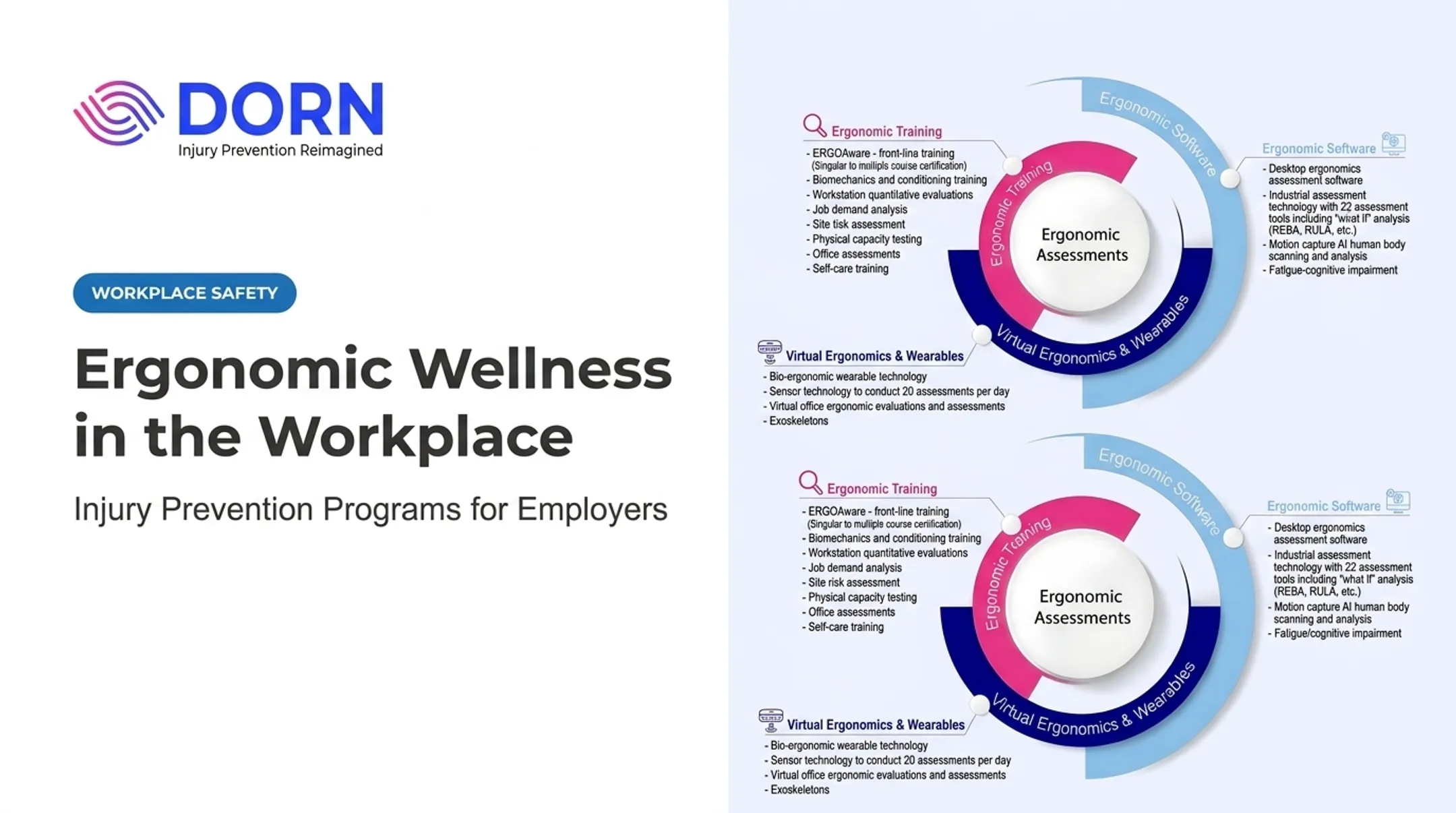
DORN's ergonomic assessments use quantitative data collection and hands-on observation to pinpoint which of these changes a job actually needs, instead of guessing at fixes from symptoms alone.
Ergonomics Is Prevention, Not Diagnosis
Ergonomics is a prevention strategy, not a substitute for medical diagnosis or treatment. If an employee reports persistent or worsening pain, that goes to a healthcare provider through the appropriate workplace channel, not just to a workstation checklist.
Why Ergonomic Improvements Matter
Poor ergonomic conditions don't just cause soreness. They chip away at concentration, quality, and consistency long before a formal injury shows up on paper.
The scale of the problem is well documented. The Bureau of Labor Statistics recorded 502,380 musculoskeletal disorder cases involving at least one day away from work across 2021-2022 — an annualized rate of 25.3 per 10,000 full-time workers.
Retail trade, manufacturing, and health care together accounted for half of all private-sector MSD cases in 2018. Transportation and warehousing carried the highest incidence rate at 77.1 per 10,000 workers.
The Business Case
MSDs affect more than the injured worker. The costs ripple into:
- Reduced productivity and increased error rates
- Higher absenteeism and restricted-work days
- Workers' compensation and healthcare cost exposure
- Lower morale and higher turnover risk
DORN's PainFree program data from 2015-2017 shows what early intervention can deliver across nearly 40,000 employees:

- 50% productivity gain
- 59% drop in absenteeism
- 60% reduction in reported pain levels
- More than $100 million saved in workers' compensation and healthcare costs
Employee Participation Isn't Optional
Workers understand their own job demands better than anyone reviewing a job description from a desk. They're also far more likely to use — and defend — changes they helped identify.
Skipping this step is one of the most common reasons ergonomic programs stall out.
How to Identify Ergonomic Risks and Warning Signs
Spotting risk starts with knowing what to look for. OSHA identifies the core ergonomic risk factors as forceful exertion, high repetition, awkward or static posture, heavy or unexpected loads, contact stress, vibration, and inadequate recovery time.
Office and Remote Settings
Review these areas during a workstation check:
- Chair and desk fit relative to the worker's height
- Monitor position (top of screen at or just below eye level)
- Keyboard and mouse placement within easy reach
- Wrist and elbow alignment while typing
- Lighting, telephone use, and time spent sitting without movement
Industrial Settings
For manufacturing, warehouse, and processing floors, observe the actual task in motion:
- Lifting, pushing, pulling, reaching, and twisting patterns
- Work height relative to the worker performing the task
- Line speed and how much recovery time exists between cycles
- Tool fit for the hand size and grip strength of the user
A 2025 NIOSH health hazard evaluation on a gas assembly line found repetitive above-shoulder reach and below-waist bending contributing directly to strain. That kind of pattern is easy to miss without watching the job firsthand.
Warning Signs That Warrant Review
Watch for recurring pain or numbness, tingling, swelling, reduced grip strength, unusual fatigue, frequent stretching, or employees quietly avoiding certain tasks. These symptoms don't establish a diagnosis — they're a prompt to review the job, not a medical conclusion.
Combine employee conversations, discomfort reports, incident records, and job observations to prioritize which risks need attention first.
Practical Ergonomic Improvements for Different Workplaces
Practical fixes change by environment. Focus on the controls that matter most in each setting.
Office and Remote Work
- Adjust chair height so feet stay flat and supported
- Position the monitor near eye level to reduce neck strain
- Keep wrists and elbows in a neutral position
- Place keyboard, mouse, and frequently used items within easy reach
- Alternate sitting with standing or short movement breaks
Manufacturing and Assembly
- Adjust work height to the individual, not a fixed standard
- Keep tools and materials within reach zones that avoid overhead work
- Reduce twisting through better part presentation
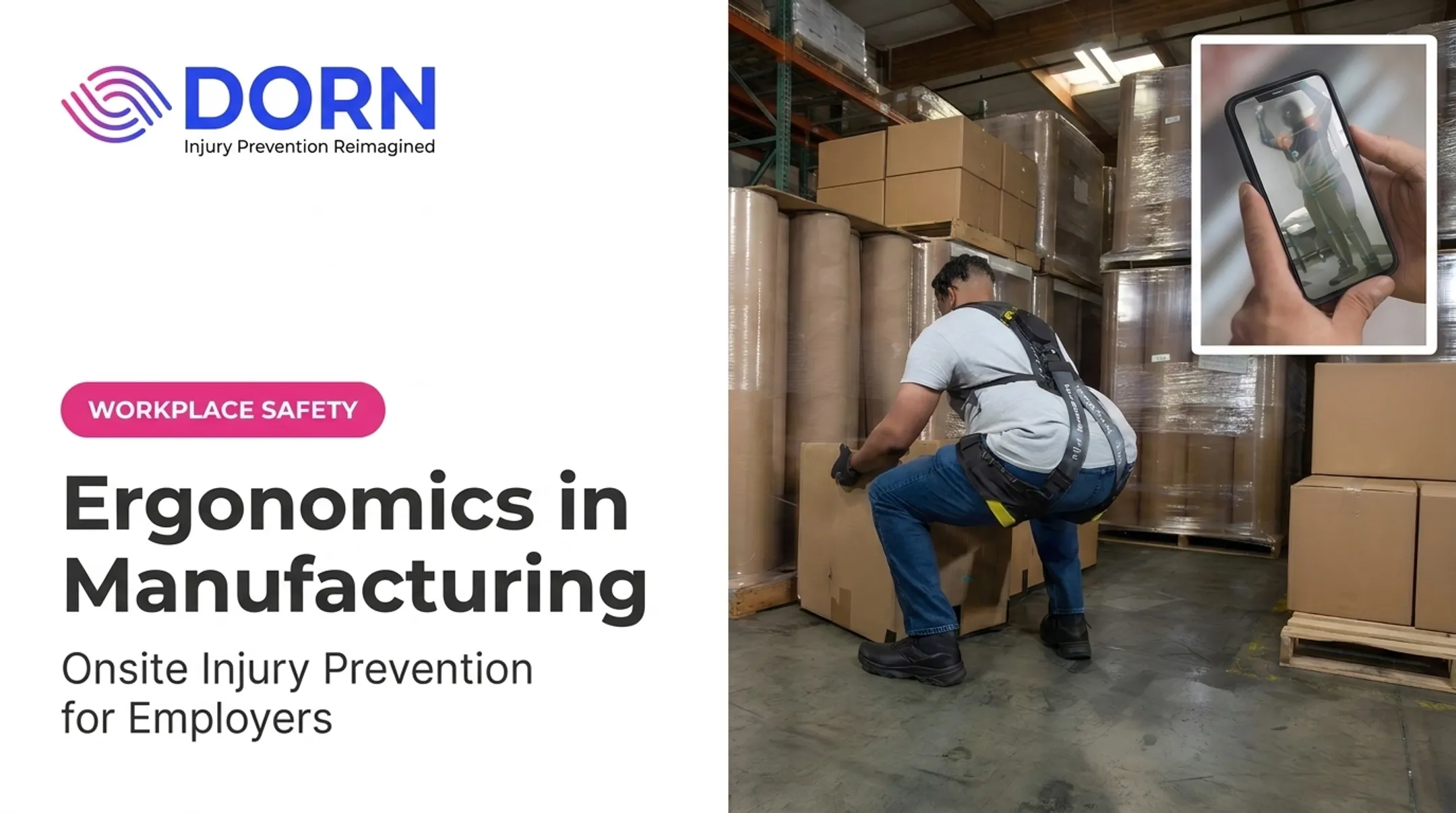
- Use fixtures or lift assists for repetitive heavy tasks
Warehousing and Distribution
OSHA recommends keeping case weights at 35 pounds or less where possible. For heavier loads, raise the pallet so lifting stays between knee and mid-chest height.
DORN assessments add these practical benchmarks:
- Store heavy items between hip and chest height
- Cap pallet stacking around 50 inches
- Keep at least 3 feet of clearance around pallets
- Push heavy materials instead of pulling whenever you can
Shoulder and back injuries from improper pulling technique average $20,000 to $40,000 per case.
Food and Beverage Processing
- Address knife and tool design to reduce grip force
- Adjust work height for repetitive cutting and packing tasks
- Provide anti-fatigue surfaces and warm recovery areas for cold environments
- Rotate tasks to reduce repetition on any single muscle group
Hybrid and Shared Workspaces
Shared stations need adjustable equipment plus a short setup checklist so each worker can reconfigure the space safely between shifts. Document individual adjustments so the next person isn't starting from scratch.
Employee Behaviors and Daily Habits
Encourage neutral posture, varied movement, and prompt discomfort reporting. Behavior coaching still cannot replace hazard correction. Stretching supports recovery, but it will not fix a poorly designed job.
How to Build and Implement a Workplace Ergonomics Program
A program only works if it's repeatable. Here's the sequence that holds up across industries:

- Establish ownership — involve EHS, operations, HR, supervisors, and employees together, then define which jobs or sites get reviewed first.
- Identify the hazard — observe the task directly rather than relying on job descriptions.
- Consult the worker — they know where the friction points actually are.
- Assess risk and select controls — use the hierarchy of controls so elimination and redesign come before training or PPE alone.
- Implement and train — roll out the change and make sure affected employees understand it.
- Verify it works — check back in practice, not just on paper.
The CDC's hierarchy of controls framework ranks engineering and administrative fixes above behavior-only solutions. Pair that approach with a nonpunitive reporting process so employees flag friction early—before small issues become recordable injuries.
DORN's assessments follow the same logic. Risks are scored, then short-term and long-term options are presented together, often mixing administrative and engineering fixes instead of defaulting to one path:
- Ranked risk scores tied to specific job tasks
- Short-term mitigations you can apply quickly
- Longer-term redesign options when the hazard needs a structural fix
- Biomechanics training and injury-prevention coaching alongside the assessment
For employers without in-house ergonomic capacity, Certified Industrial Ergonomic Evaluators deliver onsite and virtual assessments for single-site or multi-site workforces.
How to Measure Progress and Know When to Seek Expert Support
Ergonomics programs need a mix of leading and lagging indicators to show whether they're actually working.
| Indicator Type | What to Track |
|---|---|
| Leading | Assessments completed, corrective actions closed, employee participation, training completion |
| Lagging | Reported discomfort, MSD injury counts, restricted or lost work days, absenteeism, turnover |
| Business outcome | Productivity trends, quality indicators, workers' compensation costs |
Compare baseline data with follow-up observations, but account for changes in staffing, production volume, or equipment before drawing conclusions. A drop in reported injuries might mean your program worked. It might also mean fewer people are reporting.
Signs it's time to bring in outside expertise:
- Injuries or discomfort reports keep recurring despite changes
- Manual-handling risks span multiple jobs or shifts
- You're standardizing ergonomics across several sites at once
- New equipment or process design needs risk review before rollout
DORN clients have reported clear results. One regional safety manager saw injury rates fall 81% in twelve months, from 21 incidents to 4. Gains like that usually come from combining assessment data, coaching, and consistent follow-up rather than a single intervention.

Frequently Asked Questions
What is ergonomics at work?
Ergonomics means fitting the job, tools, and workstation to the worker rather than the reverse. In an office, that might mean raising a monitor to eye level; in a warehouse, it might mean adjusting pallet height to reduce awkward lifting.
What are the signs of poor ergonomics?
Recurring discomfort, numbness, unusual fatigue, reduced grip strength, and repeated awkward reaching or twisting are common warning signs. These symptoms should prompt a job review and, if persistent, a professional evaluation.
How can employers improve ergonomics in the workplace?
Start with a hazard assessment that includes employee input, then adjust workstations, tools, or workflows based on what's found. Follow up with training and ongoing measurement to confirm the changes are working.
Does workplace ergonomics apply to industrial and warehouse jobs?
Yes. Ergonomics covers lifting, pushing, pulling, repetitive production tasks, material placement, work heights, tool design, vibration exposure, and recovery time. These factors are all common in industrial and warehouse settings.
When should a company conduct an ergonomic assessment?
Common triggers include rising injury or discomfort trends, new equipment or process changes, employee concerns, job redesign, or standardizing practices across multiple sites.